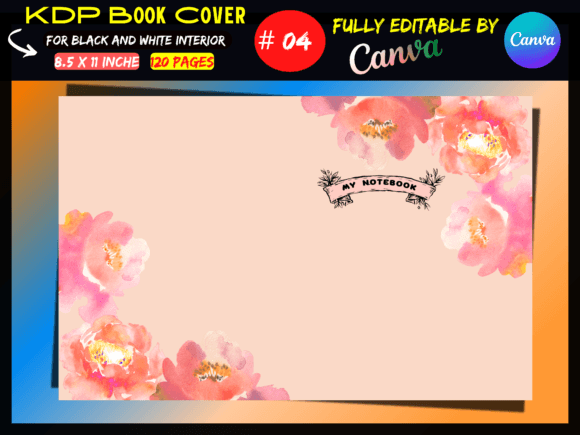
Streamline Your Self-Publishing Workflow with KDP Cover Template Canva
The journey from manuscript to published book is often fraught with technical hurdles, particularly when it comes to cover design. For authors and publishers navigating the Amazon ecosystem, precision is paramount. A single measurement error can lead to rejected uploads or, worse, a printed book where the text is cut off. This is where the utility of a reliable KDP Cover Template/Canva Template becomes undeniable. It bridges the gap between creative ambition and the rigid technical specifications required by print-on-demand services.
Unlike generic design assets, this specific template is engineered for the reality of Amazon KDP. It is not merely a decorative element; it is a structural framework. The visual appeal of the design is certainly important—it needs to catch the eye of a scrolling customer—but the true value lies in its compliance. When you open this file, you aren't just seeing a blank canvas; you are looking at a pre-measured, pre-structured environment where the spine width, bleed, and trim lines are already accounted for. This removes the guesswork that plagues so many first-time publishers.
The Anatomy of a Professional Print-Ready Design
Understanding the specifications of this KDP Cover Template reveals why it is such a practical tool for the modern publisher. The dimensions—17.52 x 11.25 inches for a 120-page, 8.5x11 inch interior—are specific to the paper thickness and page count provided. This level of detail is crucial for editorial design and packaging design in the publishing world. If your cover wrap is too small, the printing press cannot wrap it around the cardboard backing of the paperback; if it is too large, the content will shift unpredictably.
Furthermore, the inclusion of a "No bleed" specification for the interior safety zone, while maintaining a bleed area for the outer cover, demonstrates a sophisticated understanding of print design requirements. The black and white aesthetic is a deliberate choice that aligns with a vast segment of the market, including journals, workbooks, planners, and text-heavy non-fiction. It focuses the user's attention on layout, typography, and contrast rather than complex color management, which can often lead to printing discrepancies between screen and paper.
Leveraging Canva for Accessible Design
The choice to deliver this as a Canva Template is a strategic move toward accessibility. Not everyone has access to or proficiency in high-end software like Adobe InDesign or Photoshop. Canva has democratized graphic design, allowing entrepreneurs, bloggers, and small business owners to create professional-grade materials. By providing a fully editable Canva link, this product allows for rapid customization. You can adjust the layout to fit your specific brand identity, swap out imagery, and experiment with font pairings without needing a degree in graphic arts.
However, the ease of use should not be mistaken for a lack of professional capability. The template serves as a guide for visual hierarchy. It helps you determine where the eye should travel first—from the title to the author name, and finally to the imagery. This is essential for logo design and cover art, where immediate recognition is key. Whether you are a designer creating a mockup for a client or an author self-publishing your first journal, this template provides the structural integrity of a premium font and layout system, ensuring the final PDF is high-quality and ready for upload.
Practical Applications Beyond the Bookshelf
While the primary function is clearly stated as a book cover, the utility of this design asset extends into broader creative territories. For content creators and marketers, the 17.52 x 11.25 inch canvas is a massive workspace. It can be adapted for other high-impact print materials. Think of large-format marketing posters, event signage, or even social media graphics that require a panoramic or vertical format. The modern typography and layout principles embedded in the template are transferable skills and visual languages that apply across various mediums.
Consider the entrepreneur launching a new product line. The cover template could be repurposed for packaging design inserts or instruction manuals that accompany physical goods. The "Ready to upload" nature of the file means you can move from concept to production quickly. This speed is a competitive advantage in the digital marketplace. It allows for A/B testing of different cover designs to see which resonates better with your audience—a strategy often used in web design but rarely applied effectively in print due to production costs.
Evaluating Fit and Typography
Choosing the right template involves more than just checking the page count. It requires an evaluation of how the design communicates your message. The visual personality of this particular template leans towards clarity and professionalism. It avoids the chaotic clutter that can make a book look amateurish. Instead, it provides a clean slate that respects the typeface choices you will make later.
When customizing, pay close attention to readability. A cover might look beautiful as a thumbnail, but it must also hold up in print. This is where the distinction between a display font and a body copy font becomes critical. The template allows you to experiment with these elements safely. You can test how a serif font pairs with a sans serif font, or how a script font complements a handwritten font. The goal is to create a cohesive visual story that aligns with your content, whether it is a serious business guide or a creative hobby workbook.
The Business of Publishing and Brand Consistency
For small business owners and publishers, consistency is the bedrock of trust. Using a standardized KDP Cover Template ensures that every book in your catalog shares a similar structural DNA, even if the themes change. This builds a recognizable brand identity over time. When a customer sees your book on Amazon, they should be able to recognize it as yours before they even read the author name. This is the power of effective visual hierarchy and consistent design assets.
Moreover, the file delivery method—typically a zip file containing the Canva link and the final PDF/JPEG—streamlines the logistics of publishing. It eliminates the technical barriers that often discourage people from self-publishing. You don't need to worry about DPI settings, color profiles, or file formats; the heavy lifting has been done. This allows you to focus on what you do best: creating content. Whether you are a crafter selling pattern books, a marketer producing a lead magnet, or a novelist releasing a new volume, this template acts as a silent partner in your success, ensuring your work looks as professional on the outside as it is on the inside.