Streamline Your PMU Practice with These Essential Forms
Running a permanent makeup business involves more than just artistry; it requires meticulous client management and legal protection. The Permanent Makeup Forms Template bundle is designed to be the backbone of your administrative setup. It’s not just a collection of papers—it’s a system for professionalism, built to save you hours of formatting and ensure you never miss a critical piece of client information.
The Anatomy of a Professional PMU Bundle
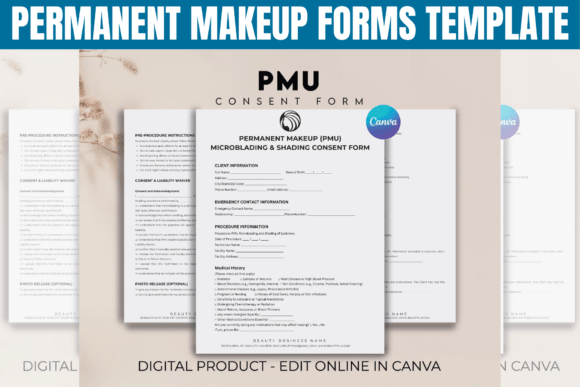
This bundle goes beyond a simple consent form. It includes a full suite of documents: a detailed Client Intake Form, a comprehensive Medical History section, a specific Your Health and Skin Analysis questionnaire, a Client Consent form, a Photo & Video Release, a clear Cancellation Policy, a Payment Form, Pre-Procedure Information, and After-Care Instructions. Each document is crafted to address the specific workflows and legal requirements of esthetician and PMU services, from lip blushing to microblading.
The real power lies in its delivery as a Canva template. Upon purchase, you receive a PDF with direct links. This means you don’t need advanced design software. With a free Canva account, you can instantly access, edit, and brand every single form. The visual style of the templates is clean, modern, and highly functional. They use clear typography and logical layouts, ensuring your clients can easily understand and complete each section. The aesthetic is professional yet approachable, which helps build trust from the very first interaction.
Why This Template is a Game-Changer for Your Brand Identity
Consistency is a cornerstone of brand identity. When your intake forms, consent papers, and aftercare sheets all share the same visual language—using your logo, brand colors, and chosen typeface—it elevates your entire client experience. This bundle allows you to do exactly that. You can modify colors to match your brand palette, swap in your logo, and even adjust font types if the default sans serif font or serif font pairings don’t quite fit your vibe. This level of customization transforms generic paperwork into a seamless extension of your studio’s personality.
Think about the client journey. A beautifully designed, cohesive set of forms signals that you are detail-oriented and serious about your craft. It’s a subtle but powerful part of your marketing and client retention strategy. The forms work best across your entire business ecosystem: the initial consultation, the procedure day, and the follow-up. They are perfect for digital use—send them via email for pre-appointment completion—or for having a polished physical copy at your station. The available sizes, US Letter and A4, cover standard printing needs globally.
Practical Guidance for Using Your New Design Assets
Getting started is straightforward. After downloading, the first step is to personalize your templates. Upload your logo and set your brand colors in Canva’s brand kit feature. Then, review each form’s text. While the copy is written professionally, you should read through to ensure it aligns with your specific studio policies, especially the Cancellation Policy and Payment Form details. This is your chance to embed your voice into the documentation.
Consider the visual hierarchy of the documents. The templates are designed with clear headings and spacing to guide the eye. However, you might want to adjust element sizes or text emphasis to highlight your studio name or critical disclaimers. For instance, making your logo slightly larger or bolding key terms in the consent form can improve readability and ensure clients notice the most important information.
For designers or entrepreneurs managing multiple client types, this bundle is a foundational design asset. You could create a master copy for general PMU services and then duplicate it to create specialized versions—for example, a dedicated Lip Blushing Form or a form tailored for a specific esthetician business service. The drag-and-drop interface makes adding or removing elements simple. If you offer a new service, you can easily duplicate a consent form and modify the pre-procedure information to match.
Finally, think about the practicalities of implementation. Once customized, save your final versions as PDFs. You can then use them in digital intake software, email them to clients ahead of time, or print them on quality paper for an in-studio experience that feels premium. This isn’t just about having forms; it’s about having a professional system that saves time, reduces errors, and lets you focus more on your artistry and less on administrative headaches. It’s a practical investment in the operational excellence of your permanent makeup business.